

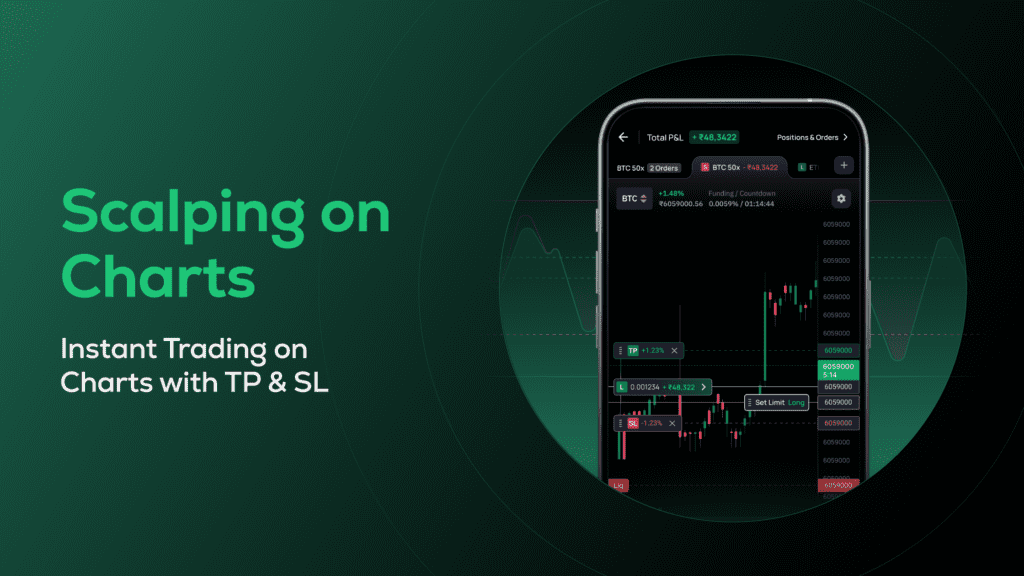
Trading crypto has traditionally required switching between multiple screens—charts for analysis, order panels for execution, and positions for tracking. This fragmented experience often slows down decision-making, especially for users who rely on speed and precision.
What is Scalper Mode?
Scalper Mode is a chart-first trading experience that lets users analyze and execute trades directly on the chart itself.
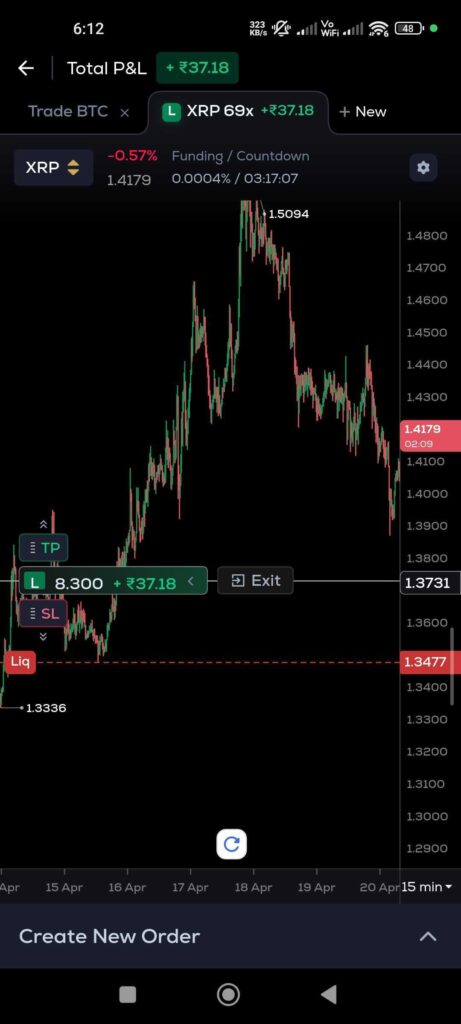
Instead of moving between different sections, users can:
- Place orders directly from the chart
- Adjust positions visually
- Monitor performance in real time
It brings everything into one unified interface—where analysis and execution happen together.
Built for Speed and Precision
In fast-moving markets, timing matters. Even a small delay can impact trade outcomes.
Scalper Mode is designed to reduce friction by:
- Enabling instant order placement from charts
- Allowing quick adjustments using sliders, drag actions, and toggles
- Keeping all key actions within a single screen
This makes it ideal for users who want to react quickly to price movements without switching contexts.
Trade Directly on Charts
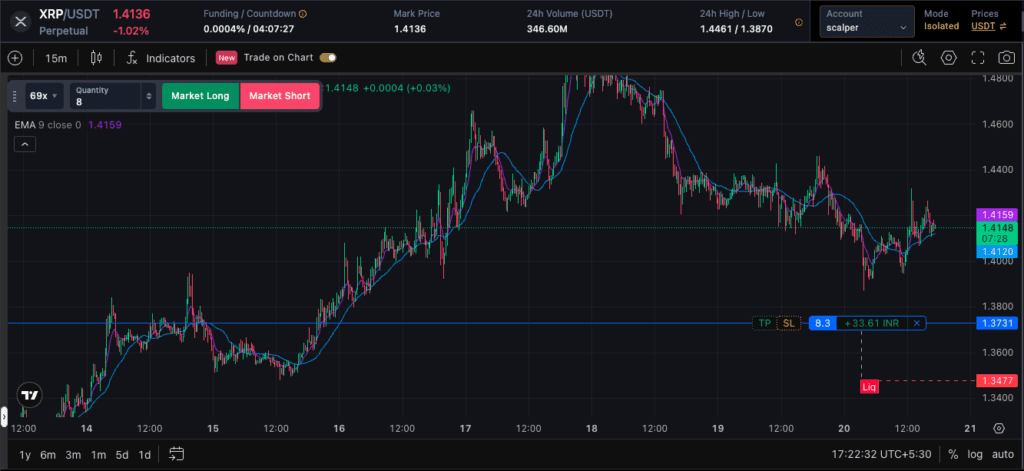
One of the biggest advantages of Scalper Mode is the ability to interact directly with the chart.
Users can:
- Drag and set limit orders visually
- Adjust take profit (TP) and stop loss (SL) directly on price levels
- See active positions, P&L, and liquidation levels plotted on the chart
This visual approach makes trading more intuitive and reduces dependency on manual inputs.
Read More: Fee Credits from CoinSwitch: A Smart Way to Save on Trading Fees
Smarter Order Execution
Scalper Mode simplifies the order process by giving users flexible controls:
- Toggle between quantity and order value inputs
- Use quick allocation options like 25%, 50%, or max balance
- Adjust leverage dynamically with built-in controls
These features help users execute trades faster while maintaining control over risk and exposure.
Real-Time Position Awareness
Tracking positions becomes easier when everything is visible on the chart.
With Scalper Mode:
- Active positions are marked as Long (L) or Short (S)
- P&L updates in real time
- Liquidation levels are clearly displayed
- Off-screen positions are highlighted with indicators
This ensures users are always aware of their trades, even in fast market conditions.
Read More: Download CoinSwitch App
Designed for Active Traders
Scalper Mode is built for users who:
- Prefer chart-based trading
- Need faster execution and decision-making
- Want a more visual and intuitive trading experience
By combining charts and trading actions into one interface, it removes unnecessary steps and helps users stay focused on the market.
Final Thoughts
As trading evolves, the focus is shifting toward speed, clarity, and seamless execution.
Scalper Mode represents this shift—bringing trading directly onto the chart, where users can analyze, act, and manage positions without interruption.
For traders who value efficiency and precision, this creates a more connected and responsive trading experience.
FAQs
1. What is Scalper Mode in crypto trading?
Scalper Mode is a feature that allows users to trade directly on charts, combining analysis and execution in one interface.
2. Can I place orders directly from the chart?
Yes, you can place market and limit orders directly from the chart without switching screens.
3. How do I set take profit and stop loss in Scalper Mode?
You can drag and adjust TP/SL levels directly on the chart for more precise control.
4. Does Scalper Mode support leverage trading?
Yes, users can adjust leverage within the trading interface using sliders and input controls.
5. Can I track my positions in real time?
Yes, active positions, P&L, and liquidation levels are displayed directly on the chart.
6. Who should use Scalper Mode?
It is ideal for active traders who prefer fast execution, chart-based trading, and real-time market interaction.










