Introduction of Trade Directly on TradingView
Successful trading isn’t just about finding the right entry point—it’s also about executing trades quickly and efficiently. Many traders use TradingView for market analysis but switch to their exchange to place orders, creating unnecessary steps that can slow down decision-making.
With TradingView integration, CoinSwitch brings chart analysis and trade execution together in one seamless workflow. Instead of moving between multiple platforms, you can analyze charts, place orders, and monitor your positions from a single interface.
Whether you’re a beginner learning technical analysis or an experienced trader looking for a more efficient workflow, TradingView integration helps simplify your trading experience.
What Is TradingView Integration?
TradingView integration allows you to securely connect your CoinSwitch account with TradingView so you can trade directly from TradingView’s chart interface.
Once connected, you can:
- Analyze live crypto charts
- Access professional technical indicators
- Place buy and sell orders
- Monitor open positions
- Manage pending orders
- Track market movements in real time
By combining advanced charting with order execution, TradingView integration reduces the need to constantly switch between applications.
Why Trade Directly on TradingView?
Executing trades from the same platform where you perform technical analysis offers several practical advantages.
Faster Order Execution
When markets move quickly, reducing the number of clicks between analysis and execution can help you react faster to trading opportunities.
Better Trading Workflow
Instead of juggling multiple browser tabs or applications, everything happens within a single workspace.
Enhanced Market Analysis
TradingView offers professional-grade charts, drawing tools, and technical indicators that help traders make more informed decisions before placing an order.
Improved Trade Management
Monitor price action, track open positions, and manage your trades without leaving your chart.
Key Features of TradingView Integration with CoinSwitch
Trade Directly from Charts
Execute buy and sell orders directly from the TradingView interface without switching to another trading platform.
Professional Charting Tools
Access a wide range of technical analysis tools, including:
- Moving Averages
- RSI (Relative Strength Index)
- MACD
- Bollinger Bands
- Fibonacci Retracement
- Volume Indicators
- Trend Lines and Drawing Tools
These tools help identify potential trading opportunities and market trends.
Real-Time Market Data
Monitor live price movements while executing and managing trades from the same screen.
Multiple Timeframes
Analyze markets across different timeframes—from minutes for intraday trading to daily or weekly charts for long-term strategies.
Efficient Order Management
Keep track of open orders and active positions while continuing to monitor price action, making it easier to manage trades as market conditions change.
How to Trade Directly on TradingView with Your CoinSwitch Account
Follow these steps to connect your CoinSwitch account and start placing trades directly from TradingView.
Step 1: Open a TradingView Chart
Sign in to your TradingView account and open the chart for the cryptocurrency pair you’d like to trade.
Once the chart loads, make sure you’re using the full chart interface, as the trading features are available from the chart workspace.
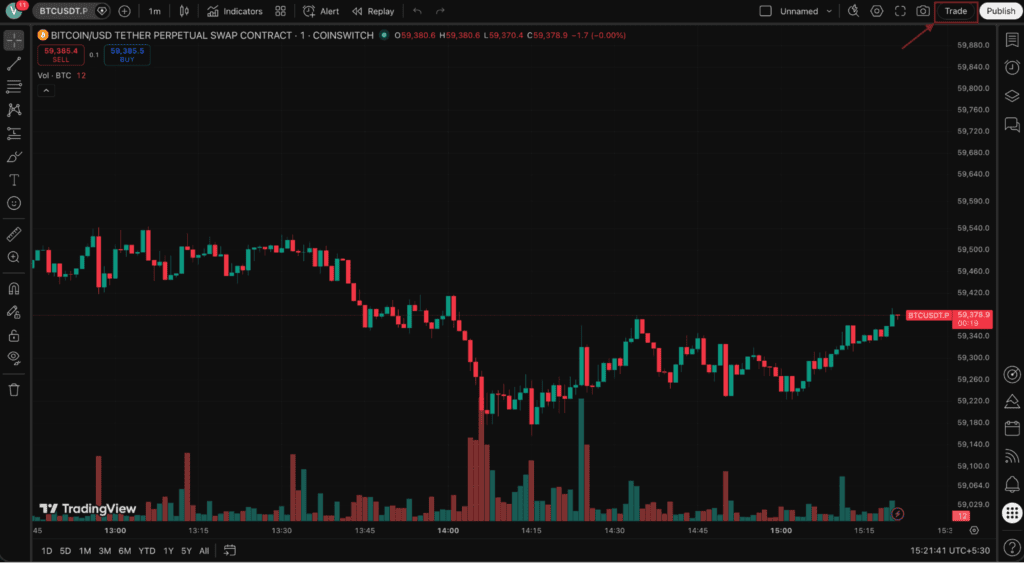
Step 2: Access the Trading Panel
At the bottom of the chart, click Trading Panel.
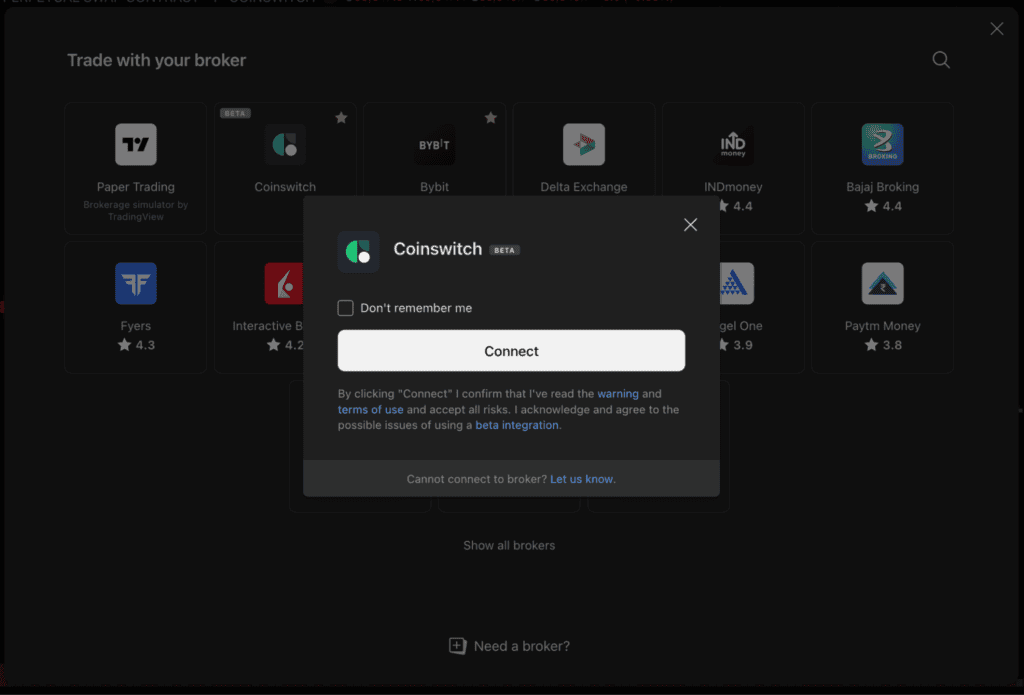
TradingView displays a list of supported broker and exchange integrations. Search for and select CoinSwitch.
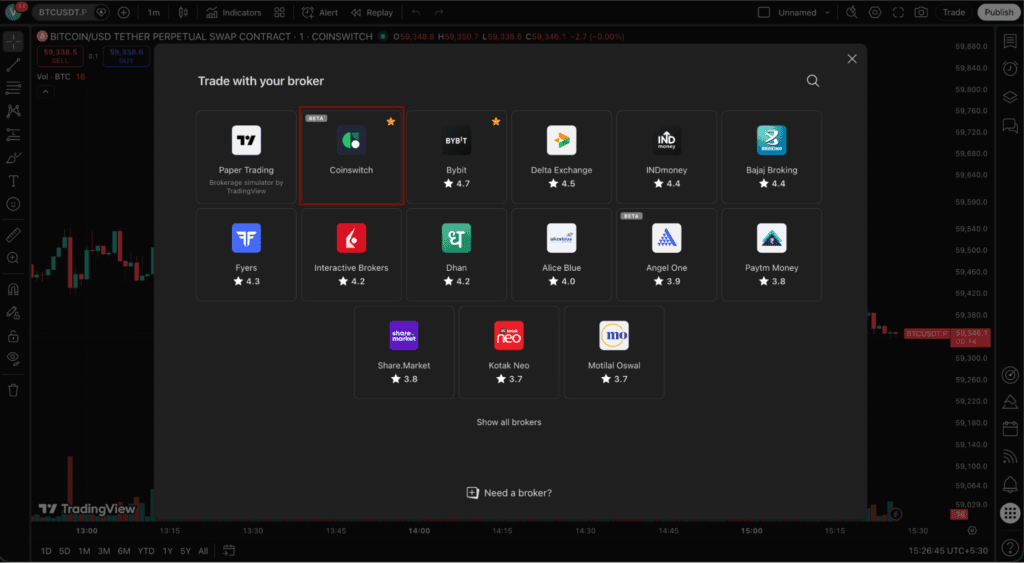
Step 3: Select CoinSwitch
Locate CoinSwitch in the Trading Panel and select Connect.
TradingView will redirect you to a secure CoinSwitch authorization page to verify your account.
Step 4: Sign In Securely
Log in using your CoinSwitch account credentials.
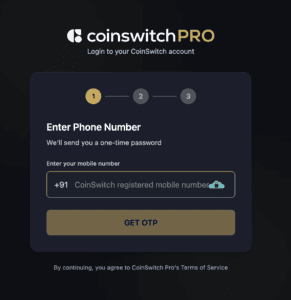
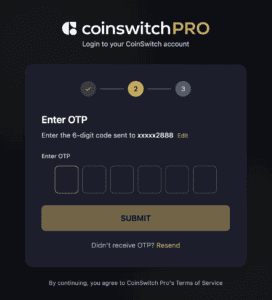
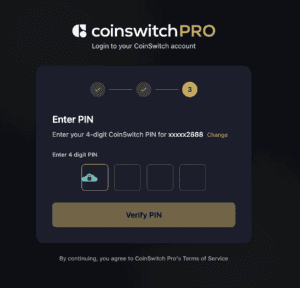
If you’re already signed in to CoinSwitch in the same browser session, you may be taken directly to the authorization screen instead of entering your credentials again.
Step 5: Authorize the Connection
Review the permissions requested by TradingView before continuing.
Depending on the integration, TradingView may request permission to:
- View your account information
- Display available balance
- Access supported trading pairs
- Place and manage orders on your behalf
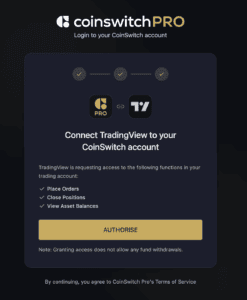
Confirm the authorization only after verifying that you’re connecting through the official CoinSwitch and TradingView interface.
Step 6: Verify the Connection
After successful authorization, TradingView will return you to the chart.
You should now see your connected CoinSwitch trading account inside the Trading Panel, where you can access:
- Open Positions
- Active Orders
- Order History
- Account Information
- Trading Notifications
- Account Balance
This indicates that your account has been connected successfully.
Read More: CoinSwitch + TradingView
How to Place Your First Trade
Once your CoinSwitch account is connected, you’re ready to trade directly from TradingView.
Step 1: Select the Trading Pair
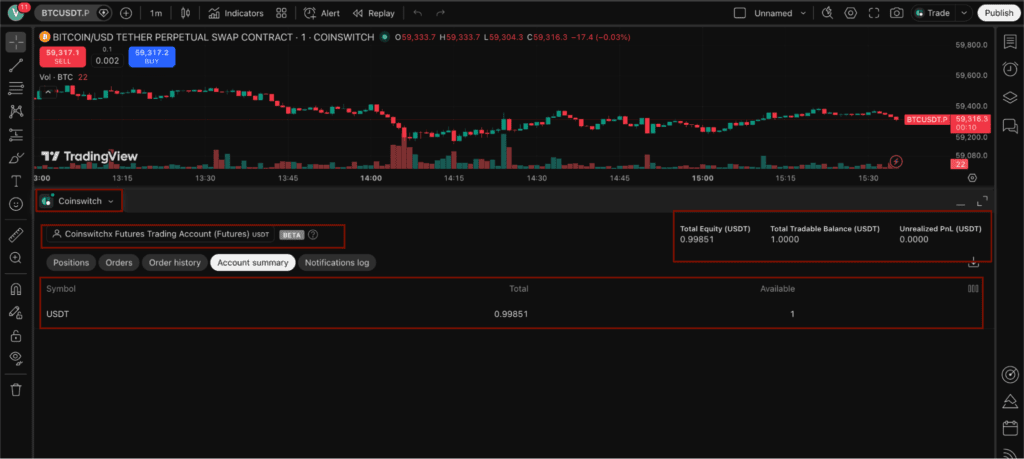
Open the chart for the crypto pair you want to trade and analyze the market using TradingView’s indicators, drawing tools, and multiple timeframes.
Step 2: Open the Order Ticket
Use one of the following methods to place an order:
- Click the Buy or Sell buttons on the chart.
- Open the trading order window from the Trading Panel.
- Where supported, right-click on the chart to access trading options.
Step 3: Configure Your Order
Choose the appropriate order type available through the integration, such as:
- Market Order
- Limit Order
- Stop Order (if supported)
Enter the order quantity and review all details carefully before proceeding.
Step 4: Review and Submit
Verify the trading pair, order type, quantity, and price before submitting your order.
Once confirmed, your order will be routed through your connected CoinSwitch account.
Step 5: Track and Manage Your Trades
After execution, continue monitoring your trade directly from TradingView.
Depending on the available functionality, you may be able to:
- View open positions
- Monitor pending orders
- Modify eligible orders
- Cancel pending orders
- Track profit and loss
- Review order history
This allows you to manage your trading activity without leaving the TradingView interface.
Who Should Use TradingView Integration?
TradingView integration is suitable for a wide range of traders.
Intraday Traders
Quick execution and real-time chart monitoring help traders react faster to changing market conditions.
Swing Traders
Analyze price action across multiple timeframes before entering or exiting positions.
Technical Analysts
Use TradingView’s extensive collection of indicators and drawing tools while executing trades from the same interface.
Active Crypto Traders
Anyone who regularly trades cryptocurrencies can benefit from a streamlined workflow that combines chart analysis and order execution.
Best Practices for Trading on TradingView
To make the most of your TradingView experience, consider these best practices:
- Analyze the market before entering a trade.
- Double-check your order details before confirming.
- Monitor open positions regularly.
- Keep your CoinSwitch and TradingView accounts secure with two-factor authentication (2FA).
- Avoid sharing your account credentials or API keys with anyone.
- Review your connected applications periodically to ensure only authorized integrations have access.
Benefits of Trading Through TradingView
Using TradingView with your CoinSwitch account offers several advantages:
- Execute trades directly from professional charts
- Reduce platform switching
- Access advanced technical analysis tools
- Monitor markets in real time
- Manage positions more efficiently
- Enjoy a streamlined trading workflow
- Stay focused on market movements instead of navigating between multiple platforms
While TradingView integration enhances convenience and efficiency, every trade carries market risk. Always conduct your own research and use appropriate risk management strategies.
Final Thoughts
TradingView integration combines advanced charting and seamless trade execution, making it easier to analyze markets and act on opportunities without switching between multiple platforms. Whether you’re monitoring short-term price movements or planning long-term trades, integrating your CoinSwitch account with TradingView can create a more efficient and organized trading experience.
If you’re ready to get started, the next step is learning how to connect your CoinSwitch account to TradingView. Our detailed setup guide walks you through the complete connection process, authentication steps, and troubleshooting tips to help you begin trading with confidence.
FAQs
1. Can I trade directly from TradingView using my CoinSwitch account?
Yes. Once your CoinSwitch account is connected, you can execute supported trades directly from the TradingView interface.
2. Do I need a TradingView account?
Yes. You’ll need both a TradingView account and an active CoinSwitch account to access the integration.
3. Is TradingView suitable for beginners?
Yes. TradingView offers an intuitive interface and a wide range of educational tools, making it suitable for both beginners and experienced traders.
4. Can I monitor my trades after placing an order?
Yes. After execution, you can continue monitoring your positions and market movements from the TradingView interface.
5. Will I still have access to TradingView’s charting tools?
Absolutely. Connecting your CoinSwitch account doesn’t change your TradingView experience—you can continue using its charting tools, indicators, and drawing features while trading.